Quick answer
Nothing turns on, so power isn't reaching the display. Most likely cause: a flat battery, a battery switch that's off, or a battery that isn't clicked in. Try this first: charge the battery.
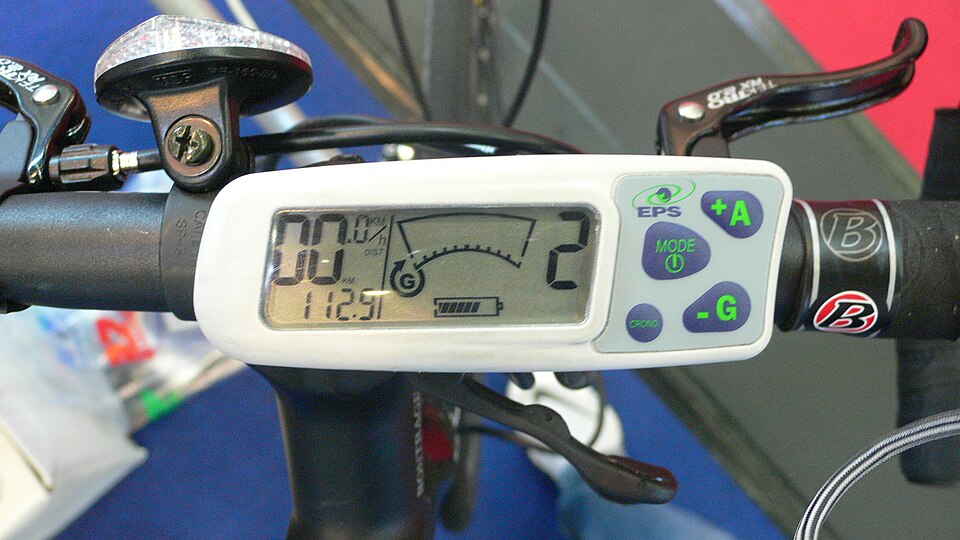
The display shows battery level and assist mode. A blank screen is the first clue. Photo: Hans Dorsch, CC BY-SA 2.0 , via Wikimedia Commons (resized)
Code meanings vary by brand. The same number can mean different things on different displays and controllers. Check your bike's manual to confirm.
About the Bafang DPC-244 / DPC-245
When a fault is detected, the display shows a two-digit error code. source Bafang's manual says: when an error code appears, restart the system first. If the problem isn't solved, contact your dealer. source The display keeps your last ten error codes: open Information > Error Code to see "E-Code00" to "E-Code09". source The same manual covers the DPC-244 and DPC-245. Only the DPC-245 has Bluetooth. Both use Bafang's CAN system. Careful: some numbers mean different things on the Bafang DPC-18. source
In plain English
When nothing turns on at all, the cause is almost always somewhere between the battery and the display: an empty battery, a battery switch that's off, a battery that isn't clicked in, or an unplugged connector. Batteries can also put themselves to sleep after being fully drained. A battery that was just run flat often wakes up when you plug in the charger. One that sat flat for weeks may have shut down for good and needs a shop.
Step-by-step checklist
Reset
Work from the top. Steps go from free and easy to shop jobs. Switch the bike off before touching any connector. Tick each step as you go. Your progress is saved on this device.
As an Amazon Associate I earn from qualifying purchases. Steps marked "affiliate link" link to Amazon.
1 Charge the battery Free Plug in the charger and stay nearby. If the battery was only just run flat, charging for an hour usually wakes it up. If it has sat completely flat for weeks or months, or it gets warm, swells or smells while charging, unplug it and have a shop check it instead.
2 Check the battery's own switch or key Free Many batteries have a key or power button of their own that must be on. Make sure it's fully turned or pressed.
3 Hold the display power button longer Free Many displays need the power button held for 1 to 3 seconds. A quick tap may do nothing.
4 Reseat the battery Free Switch off and slide or lift the battery out of its mount. Wipe any dirt off the metal contacts on the battery and the mount, then put it back until it clicks and locks.
5 Unplug and check the main connectors Easy Switch off and remove the battery. Find the round waterproof plugs along the cables (usually near the handlebar, down the frame and near the motor). Pull each one apart, look for bent pins, water, green corrosion or melted plastic. Melted or burnt plastic means stop and see a shop. Clean green corrosion with electrical contact cleaner and let it dry fully, then push the plug back together with the arrows lined up.
Need it? Electrical contact cleaner spray on Amazon (affiliate link)
6 Reconnect the display plug Easy Switch off. Follow the display's cable to its plug, usually near the handlebar or a little way down the frame. Pull it apart, check for bent pins, water or corrosion (clean corrosion with electrical contact cleaner and let it dry), then push it back together fully with the arrows lined up. A half-connected plug is a very common cause of display errors.
Need it? Electrical contact cleaner spray on Amazon (affiliate link)
7 Check for a fuse you can reach from outside Easy Some bikes have a fuse holder on the outside that you can open without tools. Check your manual. If yours doesn't have one, skip this step. Fuses inside the battery are a shop job.
8 Measure the battery voltage Moderate Set the meter to DC volts, on a range above your battery's voltage (for example the 200V setting). With the battery off the bike, touch the probes to the discharge terminals and compare to its full-charge voltage: about 42V for a 36V battery, 54.6V for 48V, 58.8V for 52V. Make sure the battery's own switch is on first, because some batteries read 0V when off or out of the bike. Keep the probes from touching each other. Not comfortable doing this? Skip it and ask a shop.
Need it? Digital multimeter on Amazon (affiliate link)
9 Get the battery and controller tested Shop job If the battery has voltage but the bike still won't power on, the controller or display may have failed. If the battery has no voltage after charging, a shop needs to test it.
⚠ When to stop and get a shop
Stop and see a shop if the battery won't take a charge, gets hot while charging, is swollen, or smells burnt. Never open the battery or bypass its protection. A battery that has shut itself off may be damaged.
Anything inside the battery, the controller, or the thick high-power motor wires is a job for a qualified e-bike shop.
Parts you might need
As an Amazon Associate I earn from qualifying purchases. These links go straight to Amazon.
Only buy a part if the free steps didn't fix it. Always match the voltage and connector type to your bike.
Digital multimeter Checks whether wires are broken and measures voltage.
View on Amazon Replacement e-bike charger Only if your charger is faulty. Must match your battery's voltage and plug type exactly.
Match your bike's model first. Ask a shop if unsure. Electrical contact cleaner spray Cleans dirt and corrosion from connector pins and battery contacts.
View on Amazon Replacement e-bike battery Only if a shop confirms your battery is worn out or faulty. Must match voltage, mount and connector.
Match your bike's model first. Ask a shop if unsure.
Still not fixed?
Pages to try next:
When it's time for a shop: if you've worked through every step and the problem is still there, take the bike to an e-bike shop. Bring your notes on when it happens, plus the code.
Words on this page: Controller